Design a Family Command Center That Actually Works Every Day

Today we dive into building a family command center for seamless household coordination, turning scattered notes and forgotten messages into one clear, living hub. Expect practical layouts, real stories, and simple rituals that reduce stress, align schedules, and help every family member know what matters most, when it matters, without constant reminders or last‑minute scrambles.

Start With Purpose, Not Supplies

Before buying bins, markers, or sleek boards, define the outcomes you want: fewer missed pickups, calmer mornings, more shared responsibility, and a predictable cadence for meals, chores, and messages. When goals are specific, every component and routine in your family command center earns its place, preventing clutter and ensuring lasting, meaningful use rather than a pretty wall that slowly gathers dust.

Choose The Right Spot And Layout

The best place is where decisions naturally happen: near the kitchen, garage entry, or the hallway everyone passes. Prioritize standing room, good lighting, and easy access. Design the layout in zones—calendar, tasks, meals, inbox, and quick tools—so each action has a single, obvious home. A thoughtful location prevents interruptions and keeps updates effortless, fast, and consistent.

Build The Core Modules

The Calendar Everyone Checks
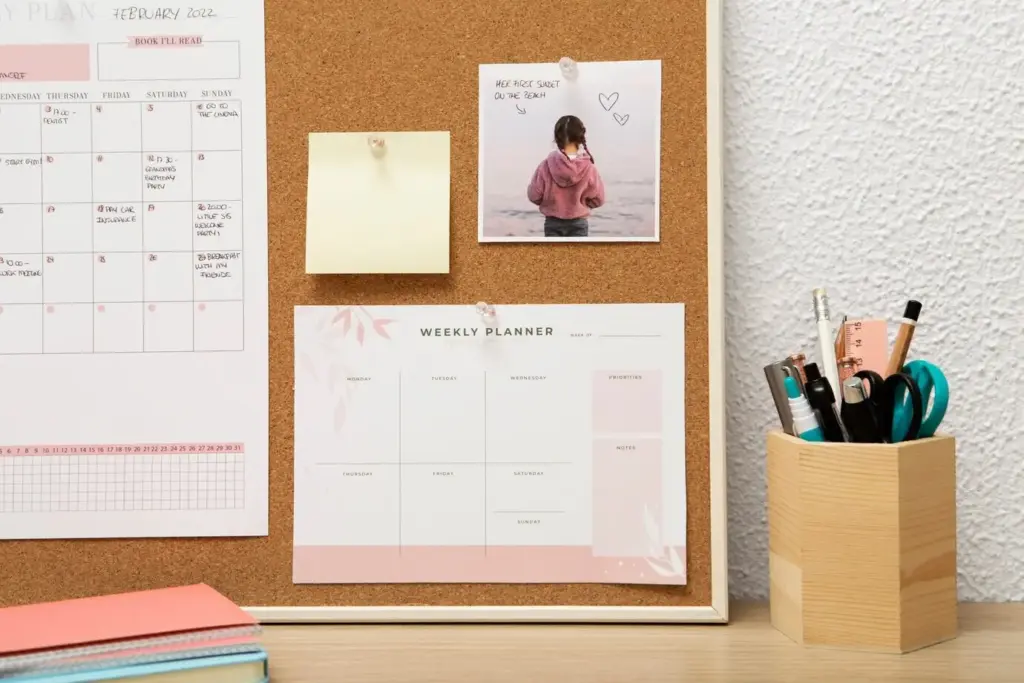
Use a monthly view for big picture clarity and a weekly strip for tactical action. Color‑code by person, keep entries short and specific, and review it every Sunday together. Add travel times so departures are realistic, not optimistic. When everyone can trust the calendar at a glance, chaos recedes, and conversations shift from firefighting to planning and caring for each other.

Tasks, Chores, And Ownership

Replace verbal reminders with a visible workflow: To Do, Doing, Done. Assign names, not vague categories. Kids flip chore cards; adults post commitments just as publicly. Celebrate completed cards with stickers or a quick cheer. Ownership grows when people see progress, not nagging. Over time, the board becomes a quiet coach, turning responsibility into habit and reducing repeating arguments dramatically.

Meals, Papers, And Quick Decisions

Plan five dinners, leave two flexible nights, and post the list with ingredients needed. Pair this with a one‑touch inbox tray for forms, invites, and bills. Hold a tiny daily triage: sign, schedule, or recycle. This closes loops before clutter multiplies. When everyone sees meals and paperwork handled visibly, evenings feel lighter and weekend mornings start with relief, not backlog.

Blend Analog And Digital Gracefully

A powerful system honors what paper does best—visibility and immediacy—while syncing with digital calendars, reminders, and shared lists to reach people wherever they are. Keep the wall for alignment and the apps for portability. Integrate gently so updates require minimal taps. The goal is elegant redundancy: nothing gets missed, and no one must check five places to feel informed.

Sync Personal Calendars Without Chaos

Select one master calendar and link personal accounts through shared subscriptions, not screenshots. Establish a rule: if it matters to more than one person, it lives on the master. Post a short syncing guide on the board. During the weekly review, reconcile paper and digital entries. Clarity increases when duplication has purpose and every platform reflects a single, trusted source.

A Smart Display Or Tablet As Anchor

Mount a tablet or smart display beside the board to show today’s agenda, weather, and quick shopping list voice entries. Use a kiosk mode to prevent drifting apps and protect privacy. Shortcuts can log chores, start timers, or add ingredients instantly. This friendly screen bridges rooms and phones, making participation accessible for tech‑comfortable teens and analog‑loving grandparents alike.

Automations, Alerts, And Quiet Nudges

Set gentle reminders for departure times, trash nights, recurring chores, and medication schedules. Use low‑friction triggers like geolocation or shared routines at breakfast. Avoid noisy alert storms by assigning reminders to the responsible person only. Automations should reduce cognitive load, not create anxiety. When nudges are timely and respectful, people trust the system and gradually rely on it with confidence.

Make It Beautiful, Accessible, And Motivating

Design invites use. Choose calming colors, readable typography, and tactile materials that feel good to touch. Place zones at reachable heights and include visual cues for quick scanning. Consider neurodiversity with high‑contrast labels, predictable layouts, and minimal visual clutter. A beautiful, inclusive command center quietly motivates participation, helping family members adopt new habits without lectures, bribes, or constant oversight.

Launch, Maintain, And Keep Improving

A thoughtful rollout sets momentum. Host a short launch night, assign responsibilities, and practice one full cycle: plan, act, reset. Protect weekly maintenance as a family ritual, not a chore. Measure impact, adjust elements, and share wins. If you find this guide useful, subscribe for more household systems tips, send questions, and share photos of your setup to inspire others.

Kickoff Meeting That Sets Momentum

Keep it fun and brief. Give a five‑minute tour, explain how each zone helps, and let every person add something immediately. Tell a small success story—like how Maya’s family cut morning delays in half after posting departure buffers. Finish by assigning light roles and choosing a weekly reset time everyone can realistically protect without resentment or calendar collisions.

Weekly Reset Ritual In Fifteen Minutes

Set a timer, play a favorite playlist, and move quickly: clear the inbox tray, update events, rotate chore cards, finalize meals, and note one improvement to test next week. End with appreciation—one sentence of thanks per person. This predictable, upbeat ritual keeps the system alive, prevents backlog, and turns maintenance into a bonding moment rather than administrative drudgery.

Review Results And Iterate With Grace

Look at your simple scorecard: fewer late departures, smoother bedtimes, cleaner counters, or reduced forgotten forms. If something lags, change one variable only—location, labeling, or sequence—then observe for a week. Progress rarely comes from wholesale overhauls. Share your adjustments and learnings with our community, comment with questions, and subscribe for monthly checklists that keep improvements refreshing, realistic, and sustainable.
Lilatetamuvumiruzu
Privacy Overview

This website uses cookies so that we can provide you with the best user experience possible. Cookie information is stored in your browser and performs functions such as recognising you when you return to our website and helping our team to understand which sections of the website you find most interesting and useful.